스프링 부트환경에서 서블릿 등록하고 사용해보자
서블릿과 스프링과 관련이 없지만
스프링 부트는 톰캣 서버를 내장하고 있으므로, 톰캣 서버 설치 없이 편리하게
하기 위해서 이 방식으로 공부하기로 하였다.
package hello.servlet;

import org.springframework.boot.SpringApplication;
import org.springframework.boot.autoconfigure.SpringBootApplication;
import org.springframework.boot.web.servlet.ServletComponentScan;

@ServletComponentScan // 서블릿 자동 등록
@SpringBootApplication
public class ServletApplication {

	public static void main(String[] args) {
		SpringApplication.run(ServletApplication.class, args);
	}

}
스프링 부트 서블릿 환경 구성을 직접 해보았다.
@ServletComponentScan 을 쓰면 스프링이 자동으로 내 패키지를 포함한
하위 패키지를 뒤져서 서블릿을 다 찾아서 등록하고 실행할 수 있도록 도와준다.
package hello.servlet.Basic;

import javax.servlet.ServletException;
import javax.servlet.annotation.WebServlet;
import javax.servlet.http.HttpServlet;
import javax.servlet.http.HttpServletRequest;
import javax.servlet.http.HttpServletResponse;
import java.io.IOException;

@WebServlet(name = "helloServlet", urlPatterns="/hello")
public class HelloServlet extends HttpServlet {

    @Override
    protected void service(HttpServletRequest request, HttpServletResponse response) throws ServletException, IOException {
        System.out.println("HelloServlet.service");
        System.out.println("request = " + request);
        System.out.println("response = " + response);

        String username = request.getParameter("username");
        System.out.println("username = " + username);

        response.setContentType("text/plain");
        response.setCharacterEncoding("utf-8");
        response.getWriter().write("hello "+username);
    }
}
@WebServlet : 서블릿 애너테이션
HTTP 요청이 오면 매핑된 URL이 호출되면 서블릿 컨테이너는 service 메서드를 실행한다.
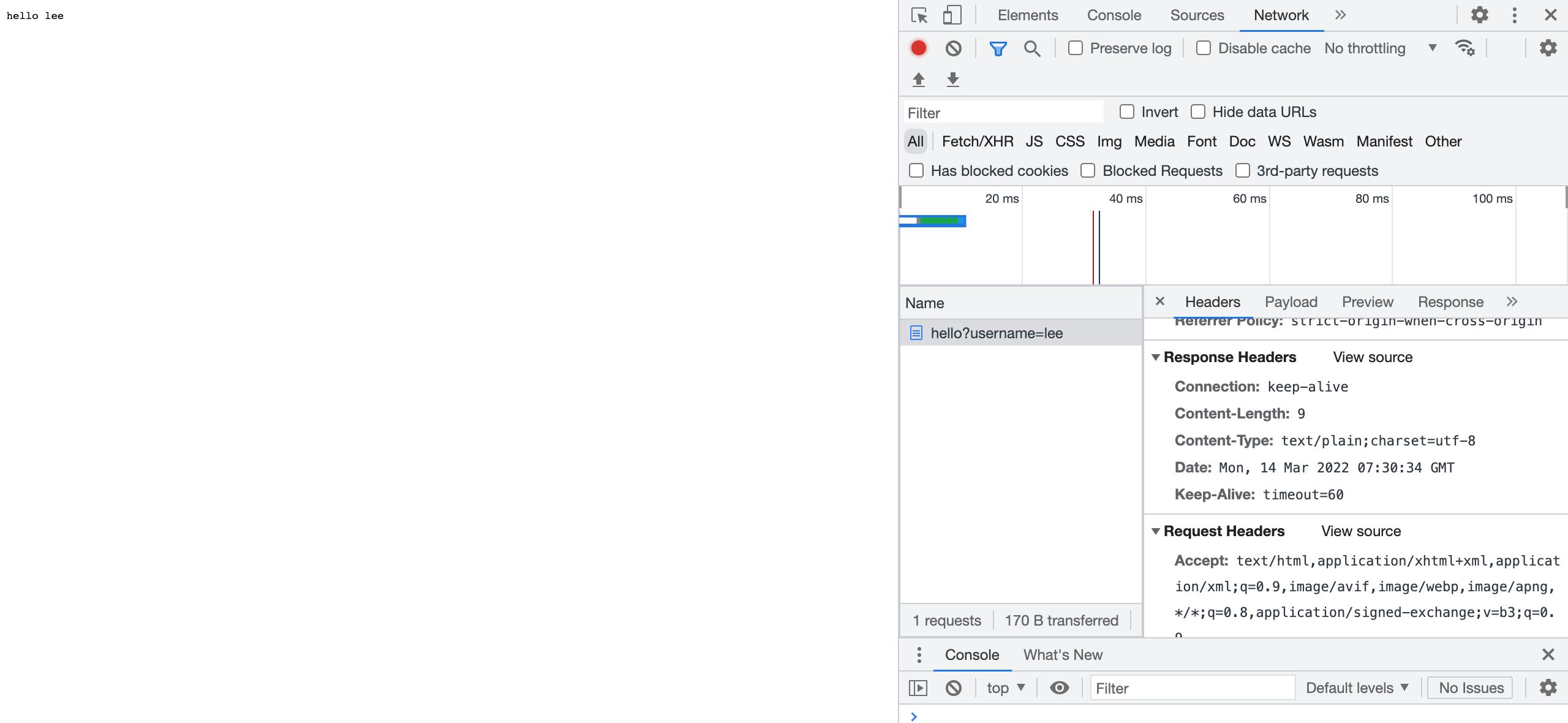
웹 브라우저에 localhost:8080/hello?username=lee라고 요청하였을때 결과이다.
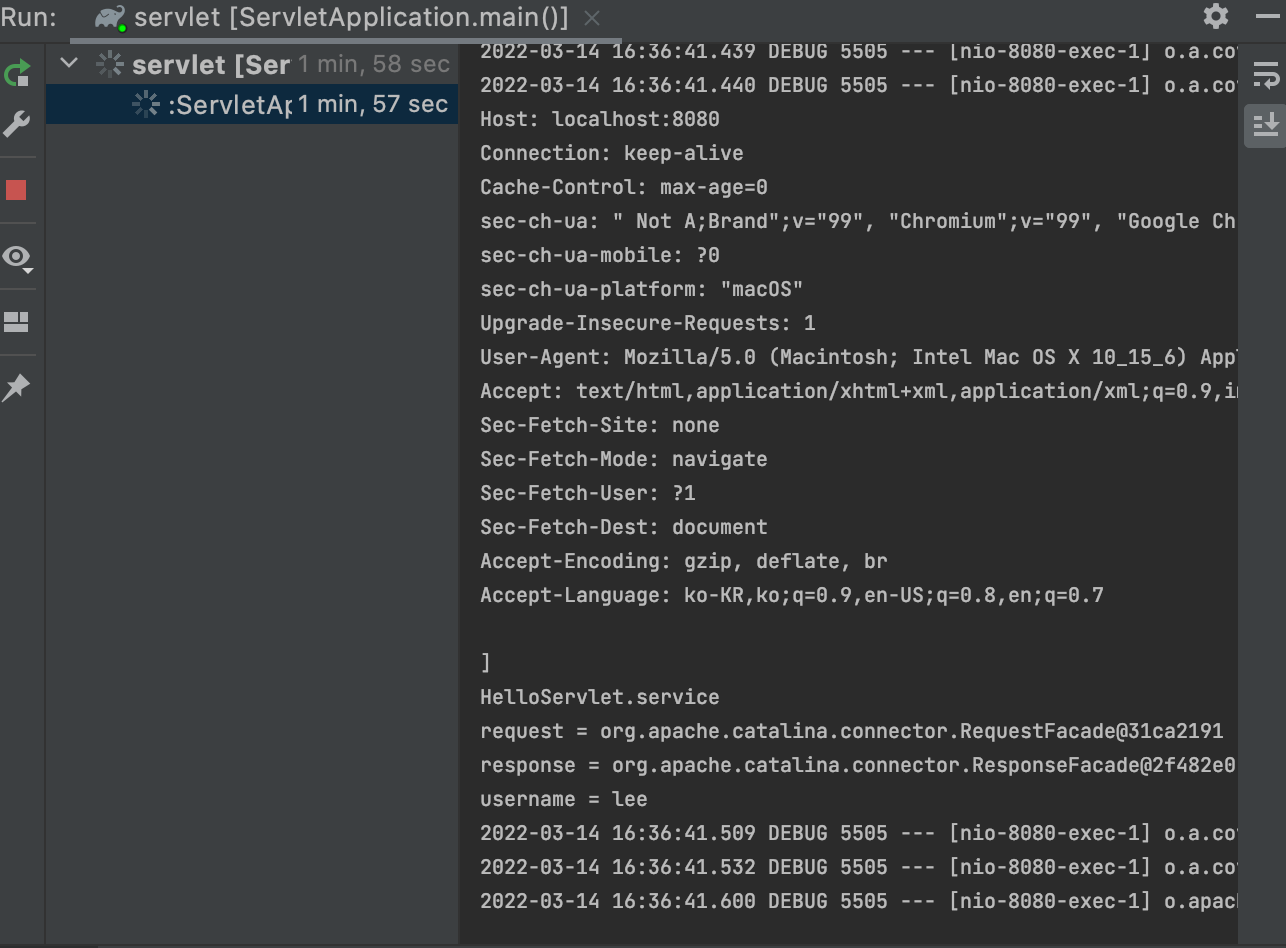
logging.level.org.apache.coyote.http11=debugapplicaton.properties에 위의 코드를 쓰고 재실행하면 HTTP메서드에 대한 자세한 내용들을
확인할 수 있다. 요청이 제대로 되었는지 확인할 수 있다.
그림으로 확인해보자
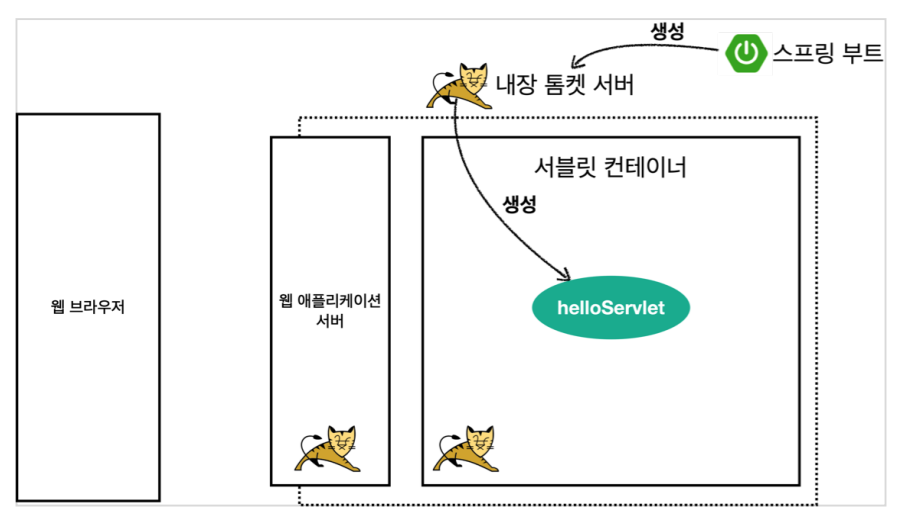
먼저 스프링 부트를 실행하면서 내장 톰캣 서버를 띄어준다.
톰캣 서버는 내부의 서블릿 컨테이너 기능을 가지고 있는데
이것을 통해 서블릿을 생성해준다.
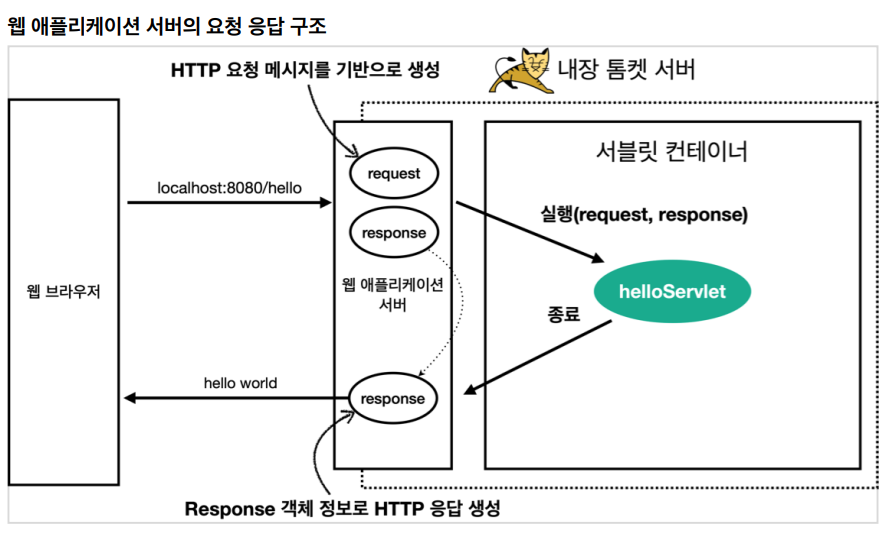
request, response 객체를 만들어서 helloServlet을 호출해준다(Service)
필요한 작업을하고 response에 데이터를 넣으면 WAS서버가 response정보를 가지고
HTTP응답 메시지를 만들어서 반환해준다.
'웹프로그래밍 > 스프링 MVC' 카테고리의 다른 글
| 9. HttpServletRequest - 기본 사용법 (0) | 2022.03.15 |
|---|---|
| 8. HttpServletRequest - 개요 (0) | 2022.03.15 |
| 6. 프로젝트 생성 (0) | 2022.03.14 |
| 5. 자바 백엔드 웹 기술 역사 (0) | 2022.03.14 |
| 4. HTML, HTTP API, CSR, SSR (0) | 2022.03.12 |