package section1;

import java.io.File;
import java.io.FileNotFoundException;
import java.util.Scanner;

public class code03 {

	static Person1 members[]= new Person1[100];
	static int n = 0;

	public static void main(String[] args) {
		try {
			Scanner in = new Scanner(new File("data.txt"));
			while(in.hasNext()) {
				String name = in.next();
				String number = in.next();

				members[n] = new Person1();
				members[n].name=name;
				members[n].number=number;
				n++;
			}


			in.close();
		} catch (FileNotFoundException e) {
			System.out.println("No file");
		}

		bubleSort();

		for(int i=0; i<n; i++) {
			System.out.println(members[i].name + " "+ members[i].number);
		}
	}

	private static void bubleSort() {

		for(int i=n-1;i>0;i--) {
			for(int j =0; j<i; j++) {
				if(members[j].name.compareTo(members[j+1].name) > 0 ) {
					Person1 tmp = members[j];
					members[j] = members[j+1];
					members[j+1] = tmp;
				}
			}
		}

	}

}
저번시간의 코드를 살짝수정하여 버블정렬하는 코드를 작성했다
클래스를 사용하기 전에는 정렬시에 이름따로 번호따로 정렬을 하는 코드를 짰었는데
클래스를 사용하니 객체배열 각각의 참조변수에 주소값을 바꿔주어 이용하여 관련있는
데이터를 한번에 가르키게 될 수 있게 되엇다.
new명령어로 만들게 되면 고유한 이름을 가질 수 없기때문에
객체만 있어서는 객체를 사용할 수 없다 그래서 참조 변수가 필요하다
클래스, 참조변수, 객체에 대한 이해가 잘 되게 되었다!
인덱스 메이커 프로그램의 수정
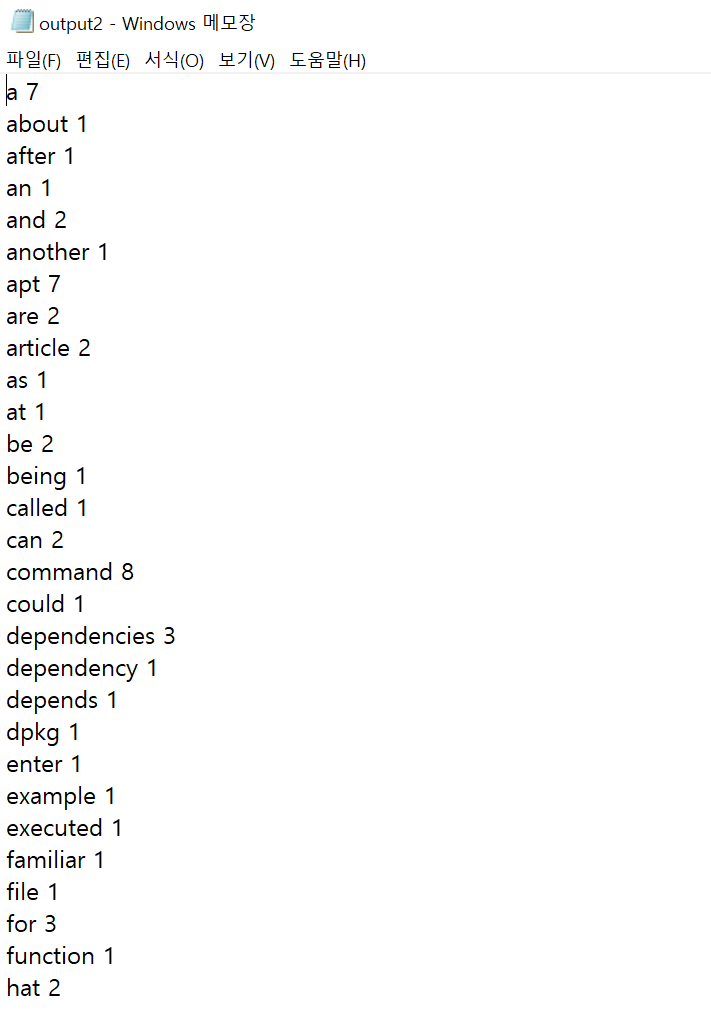
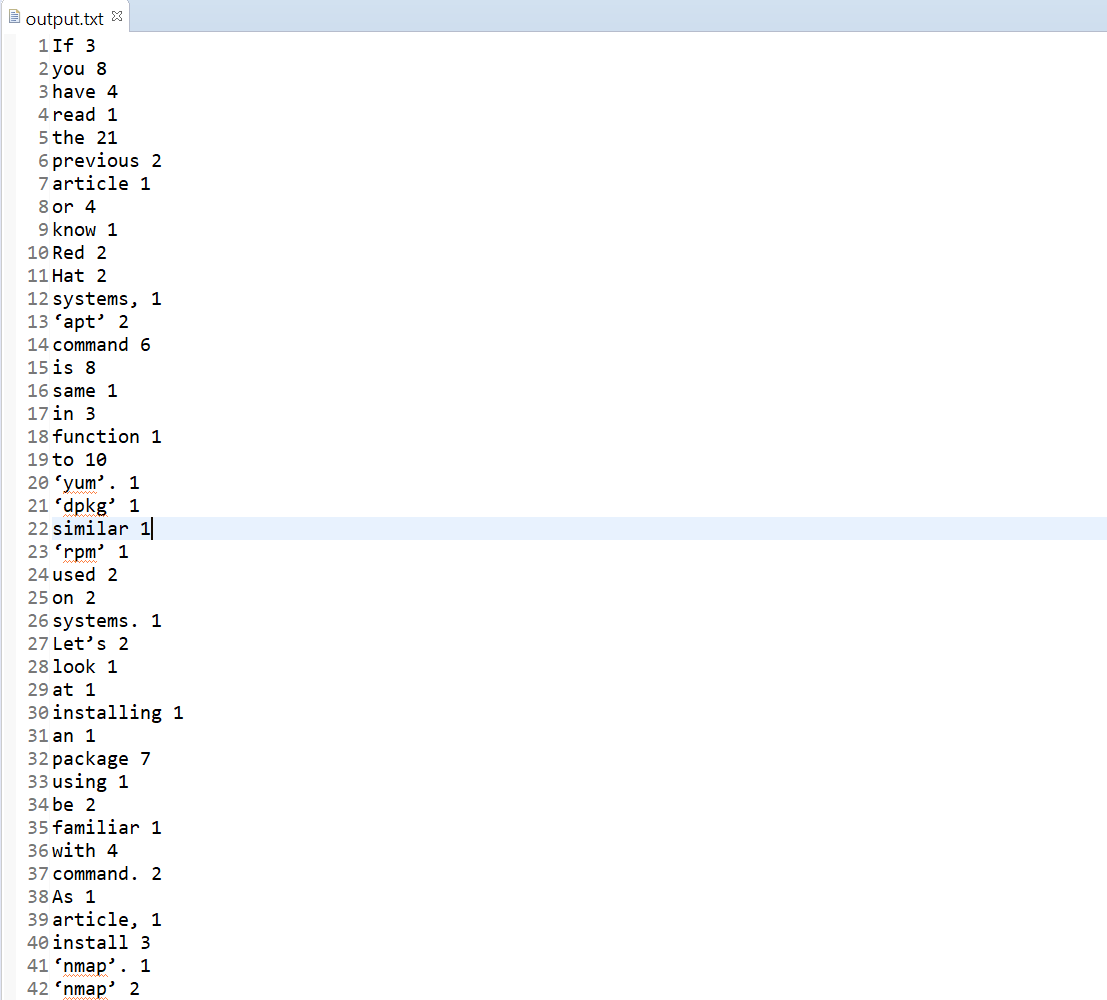
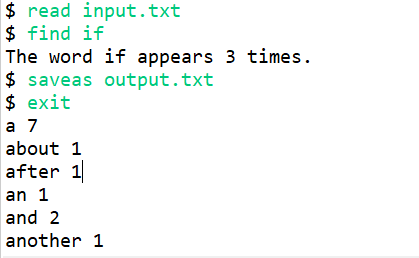
어떠한 텍스트 파일이 있다면 그 파일안에의 단어추출과 단어의 등장 빈도를 구해주는 프로그램을
클래스를 사용하여 리팩토링 해보았다!
package section1;

import java.io.File;
import java.io.FileNotFoundException;
import java.io.FileWriter;
import java.io.IOException;
import java.io.PrintWriter;
import java.util.Scanner;

public class IndexMaker {

	static Item items[] = new Item[100000];
	static int n = 0;

	public static void main(String[] args) {

		Scanner kb = new Scanner(System.in);
		while(true) {
			System.out.print("$ ");
			String command = kb.next();
			if(command.equals("read")) {
				String filename =kb.next();
				makeIndex(filename);
			}
			else if(command.equals("find")) {
				String str = kb.next();
				int index = findWord(str);
				if(index > -1) {
					System.out.println("The word " + items[index].word +" appears " + items[index].count + " times.");
				}
				else
					System.out.println("The word " + str +" dose not appears ");
			}
			else if(command.equals("saveas")) {
				String filename = kb.next();
				saveAs(filename);
			}
			else if(command.equals("exit")) {
				break;
			}


		}
		kb.close();

		for(int i=0; i<n; i++) {
			System.out.println(items[i].word+" "+items[i].count);
		}
	}
	static void makeIndex(String filename){

		try {
			Scanner inFile = new Scanner(new File(filename));
			while(inFile.hasNext()) {
				String str = inFile.next();

				String trimed = triming(str);
				if(trimed != null) {
					String t = trimed.toLowerCase();
					addWord(t);
				}
			}
			inFile.close();
		} catch (FileNotFoundException e) {
			System.out.print("No File");
			return;
		}
	}
	static String triming(String str) {

		int i =0, j = str.length()-1;
		while(i <str.length() && !Character.isLetter(str.charAt(i)))
			i++;
		while(j<str.length() && !Character.isLetter(str.charAt(j)))
			j--;

		if(i>j)
			return null;
		return str.substring(i,j+1);
	}
	static void addWord(String str) {
		int index = findWord(str);
		if(index != -1) {
			items[index].count++;
		}
		else {
			int i =n-1;
			for(;i>=0  && items[i].word.compareToIgnoreCase(str)>0;i--) {

				items[i+1] = items[i];
				i--;
			}
			items[i+1] = new Item();
			items[i+1].word = str;
			items[i+1].count =1;
			n++;
		}

	}
	static int findWord(String str) {
		for(int i=0;i<n;i++)
			if(items[i].word.equalsIgnoreCase(str)) {
				return i;
			}
		return -1;
	}
	static void saveAs(String fileName) {
		try {
			PrintWriter outFile = new PrintWriter(new FileWriter(fileName));
			for(int i =0;i<n;i++) {
				outFile.println(items[i].word + " " + items[i].count);
			}
			outFile.close();
		} catch (IOException e) {
			System.out.println("save failed");
			return;
		}
	}
}
중요한 것은 역시 객체안에 내용을 건들때는 항상new를 통해 생성을 해주어야한다는 것을
자꾸 까먹게 되니 계속 생각을 해야하는것 같다!
'알고리즘 with 자바 > 자료구조' 카테고리의 다른 글
| 클래스 ,객체, 참조변수 5 (0) | 2021.06.23 |
|---|---|
| 클래스, 객체, 참조변수 4 (0) | 2021.06.22 |
| 클래스, 객체, 참조변수 2 (0) | 2021.06.21 |
| 클래스 , 객체, 참조변수 1 (0) | 2021.06.21 |
| 문자열 다루기 2 (0) | 2021.06.19 |